
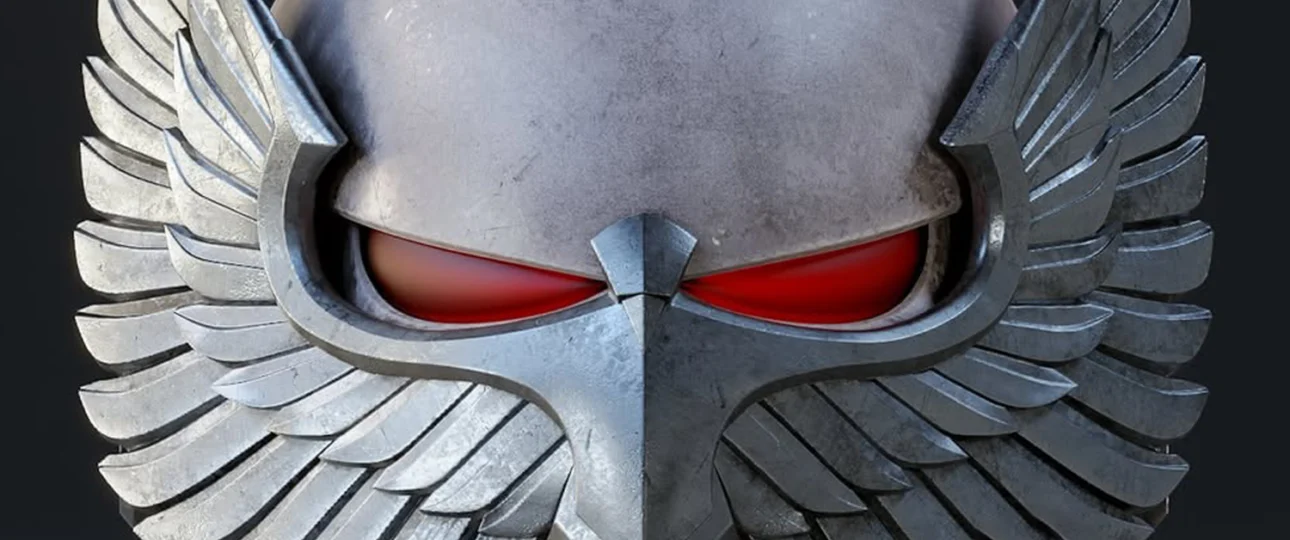
A 3D printed helmet is one of the most satisfying builds in the hobby. It is also one of the easiest to get wrong: a helmet that does not fit, splits at the seams or still shows every layer line after painting. This guide walks through the whole process, from choosing the STL file and scaling it to your head, to slicer settings, sanding and paint.
Quick answer: print a wearable helmet in PLA or PLA+ at 0.16–0.2 mm layers, with 3–4 walls and 10–15% gyroid infill. Plan for 600–900 g of filament and 40–60 hours of printing for a typical closed helmet, then sand, prime and paint.
1. Choose a print-ready helmet STL
Everything starts with the model. A good helmet file for 3D printing has a closed, manifold mesh, a realistic wall thickness and, ideally, pre-cut parts that fit common print beds. You will find nearly 100 ready-to-print designs in our helmet STL collection, from movie and game helmets to anime masks.
Before you slice anything, open the file in our free online STL viewer. It shows the real size of the model in millimeters, so you can check right away whether it fits your printer and your head.
2. Measure your head and scale the model
Most adult heads measure between 550 and 600 mm around. Measure yours with a soft tape about 2.5 cm (1 inch) above the eyebrows, keeping the tape level around the back of the head. Most helmet STLs are designed around a 57–60 cm head, so you will usually only need a small adjustment:
- Scale (%) = your head circumference ÷ the model’s reference circumference × 100
- Example: a 59 cm head and a model built for 58 cm gives 59 ÷ 58 × 100 ≈ 102%.
- Add 5–10% if you plan to line the inside with foam padding, and leave 15–25 mm of clearance around your head.
Not sure about the fit? Print a thin ring of the brow area first. It takes about 20 minutes and can save you two days of printing. If you need to resize the whole file or change its format for your slicer, our STL converter can rescale it and export STL or 3MF.
3. Split the helmet to fit your print bed
A full helmet is usually 250–290 mm wide and 280–330 mm tall. Unless you own a very large printer, it has to be printed in parts:
| Build volume | Typical number of parts |
|---|---|
| 220 × 220 × 250 mm (Ender 3 class) | 4–6 parts |
| 256 × 256 × 256 mm (Bambu X1/P1 class) | 2–4 parts |
| 300 × 300 × 300 mm and up | 2 parts, one seam |
| 350–390 mm and up | Often in one piece |
Cut along natural panel lines such as the brow, the jaw or the back of the crown, where seams are easy to hide. Many helmet STLs already come split, often with alignment pins or keys.
4. Pick the right filament
| Material | Nozzle / bed | Good for |
|---|---|---|
| PLA / PLA+ | 200–220 °C / 55–60 °C | Most helmets. Easy to print and very easy to sand. |
| PETG | 230–250 °C / 70–80 °C | Tougher, less brittle. Harder to sand smooth. |
| ABS / ASA | 240–265 °C / 100–110 °C | Heat and UV resistance for outdoor events. Needs an enclosure. |
For a first helmet, PLA+ is the safest choice. Just avoid leaving a PLA helmet in a hot car, because it softens at around 55–60 °C.
5. Slicer settings for a strong, smooth helmet
| Setting | Recommended value |
|---|---|
| Layer height | 0.16–0.2 mm (0.12 mm for faces with fine detail) |
| Walls / perimeters | 3–4 (use 4 if you plan heavy sanding) |
| Top / bottom layers | 4–5 |
| Infill | 10–15% gyroid |
| Supports | Tree supports, only where overhangs exceed about 45–50° |
| Adhesion | 5–8 mm brim for tall parts |
| Speed | Slow outer walls and visor overhangs |
Extra walls matter more than infill on a helmet: they give you material to sand without breaking through. Orient each part so the visible face is free of supports, and halving the layer height roughly doubles the print time, so only go finer where the detail needs it.
6. How much filament and time a helmet takes
| Helmet type | Filament | Print time |
|---|---|---|
| Half helmet or mask | 250–400 g | 18–28 h |
| Closed helmet, smooth shell | 600–900 g | 40–60 h |
| Helmet with crest, horns or fins | 900–1,200 g | 60–80 h |
Budget about one full spool per helmet, plus 200–300 g for test prints and supports. To get an exact number for your own file and filament price, drop it into our 3D print cost calculator, which adds electricity and failed prints too.
7. Glue the parts and hide the seams
- Remove supports with flush cutters or small pliers.
- Dry-fit all parts and sand the mating faces flat.
- Tack the parts with super glue (CA) and an activator, then bond them permanently with two-part epoxy. Clamp until fully cured.
- Reinforce long inside seams with epoxy or a strip of fiberglass cloth.
- Fill the outside seams with body filler or putty, then sand flush.
8. Sand and prime
This is where a printed helmet becomes a prop. Work in stages instead of trying to sand everything smooth at once:
- 120 grit: knock down layer ridges and support marks.
- Filler primer: 2–3 light coats, letting each one dry.
- 240 grit: sand the primer until only the low spots stay grey, then prime again.
- 400 grit: enough for most matte and weathered finishes.
- 600–800 grit, wet: only for glossy, mirror-like paint jobs.
Brush-on epoxy coatings can replace part of the sanding, but they also soften small details, so use thin coats.
9. Paint, seal and make it wearable
- Finish with a coat of regular primer, then spray the base colors.
- Mask panels with tape and add details with acrylics and a fine brush.
- Dry-brush edges and add a dark wash for a battle-worn look.
- Seal everything with a matte, satin or gloss clear coat.
- Fit a visor cut from 1.5–2 mm tinted acrylic or PETG sheet.
- Line the inside with foam pads for comfort and a snug fit.
How much does a 3D printed helmet cost?
Expect around $15–25 of filament and $30–50 for primer, paint, filler and clear coat. A finished helmet typically costs $50–80 in materials, plus the STL file. If you plan to print several helmets or props, a 3D STLs membership unlocks every helmet and model in the shop for one price, which quickly costs less than buying files one by one.
Frequently asked questions
Can I 3D print a helmet on an Ender 3?
Yes. A 220 × 220 mm bed is enough if the helmet is split into 4–6 parts. Choose an STL that is already cut into pieces, or split it in your slicer.
Is PLA strong enough for a wearable helmet?
For cosplay and display, yes, especially with 3–4 walls and epoxy-reinforced seams. A 3D printed helmet is a prop, though, not protective gear, so never use it for sports or riding.
How long does it take to make a helmet from start to finish?
Printing takes 2–4 days for most closed helmets. Gluing, sanding, priming and painting usually add another weekend or two, depending on the finish you want.
What layer height is best for a helmet?
0.2 mm is a good balance of speed and quality for large shells. Drop to 0.12–0.16 mm for detailed faces and masks, where a finer surface saves sanding time.
Ready to start? Browse our helmet STL files, check the size in the STL viewer, and plan your budget with the cost calculator.